Introductory call
Make a short, free call bookable at the times you set aside for it.
booktobooking
Online appointment scheduling
Let clients schedule a conversation with you themselves. From a first introduction to a paid advisory session. You decide when you're available, how long a conversation lasts and whether it's paid. Your client picks a time that suits them.
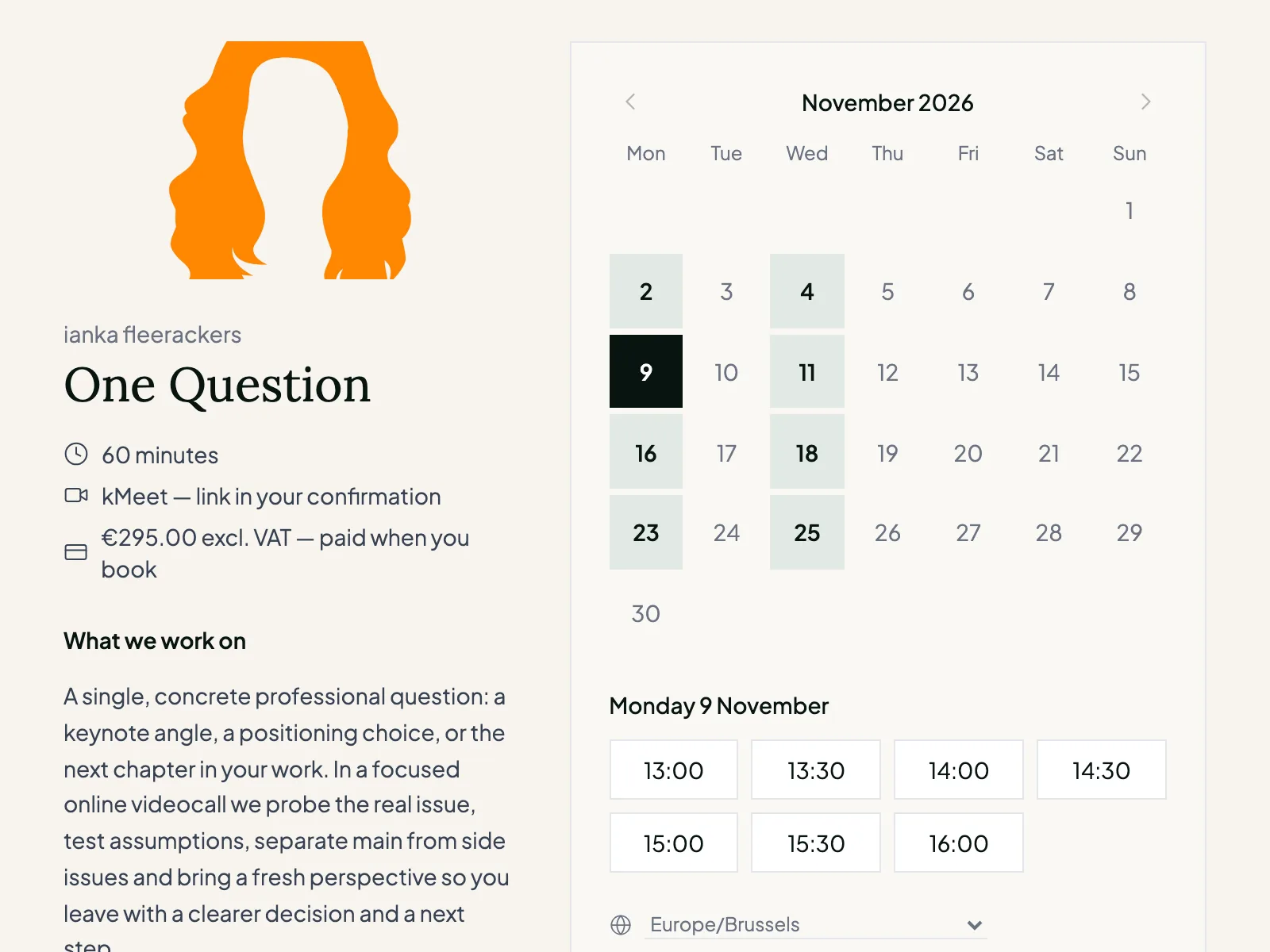
A client wants to talk to you. You want to make room for that conversation, not for an endless string of emails trying to find a time that works.
With bookto booking you share a booking link. Your client sees when you're available and books a slot themselves. bookto takes the busy times in your connected calendar into account.
Your calendar stays yours, while clients can easily lock in a conversation.
Not every conversation is the same
A first introduction asks for something different than an advisory call or an in-depth strategy session. That's why bookto booking lets you create different appointment types, each with its own settings.
Make a short, free call bookable at the times you set aside for it.
Set the duration, add a price if you like and ask the client to share what you need beforehand.
Reserve more time, ask targeted questions at booking and optionally let clients upload documents.
For each appointment type you set the duration, availability, booking window and any preparation, among other things. You can also keep an appointment type hidden and share it only through a direct link.
From booking link to conversation
Choose what people can book you for, how long the conversation lasts and when you're available.
Add a button to your website, put the link in an email or send it straight to a client. You can also forward the link to a colleague, who can then book an appointment of their own.
Available slots are shown in the visitor's own time zone. Busy times from your connected calendar are left out.
Your client receives a confirmation and a calendar invite. Depending on your settings, reminders follow and the appointment can be rescheduled or cancelled.
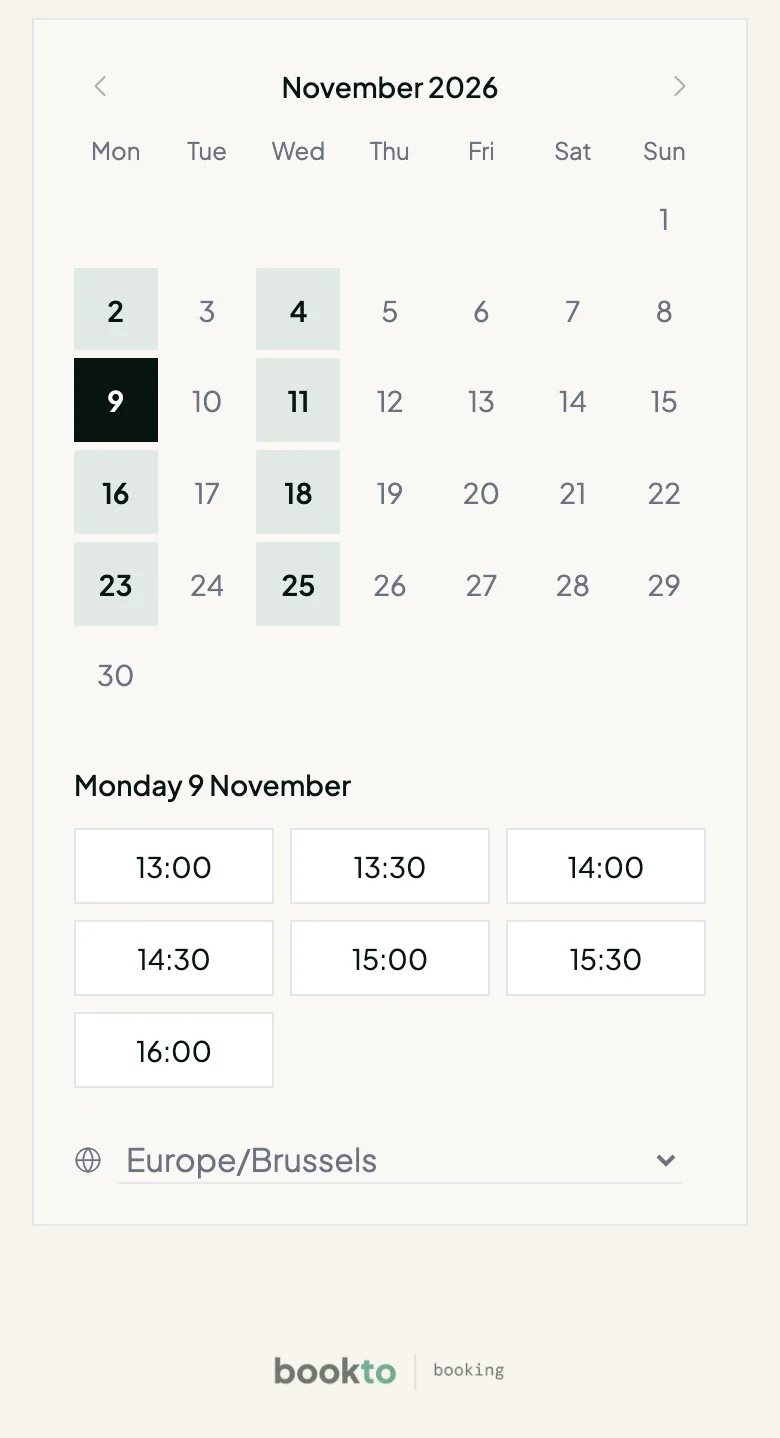
Your calendar, your terms
You decide on which days and at what hours clients can book. Set general availability, or create separate hours for specific appointment types.
Keep room between conversations with buffers. Decide how close to the time someone can still book, how far ahead appointments can be made and how many appointments you want to allow in a day.
A day off? Mark it as busy or out of office in your calendar. bookto takes the busy times in your connected calendar into account.
Start every conversation well prepared
Not every conversation needs to start with the same questions. Add up to five booking questions of your own to an appointment type, so you know in advance what someone wants to discuss.
You can also let clients upload documents, such as a briefing, a design or material you'd like to review beforehand. Files are stored privately and available to you through a temporary download link.
So the conversation starts with more context and less admin.
A conversation can be paid, too
An introductory call can be free. For an advisory call or coaching session, you may want to be paid upfront.
Link an existing bookto Checkout product to your appointment type. Your client picks a time, pays on the checkout page and receives a confirmation of the appointment once the payment succeeds.
Payment runs through your own Mollie account, so your scheduling works with the payment methods you've set up in Mollie.
From assessment to a focused conversation
With bookto Audit you can create an assessment that gives participants a personal report based on their answers and scores.
Add a targeted call to action to that report, pointing to a matching appointment type in bookto booking. Anyone who wants to discuss their result can then book a conversation with you themselves.
For example: after an assessment, a participant receives a report with points of attention and an invitation to book a one-to-one advisory call.
Work with the calendar you know
No need to start a new calendar. bookto booking connects to:
With an automatic Google Meet link for online conversations.
With an automatic Teams link for eligible work or school accounts.
Via CalDAV, with an automatic kMeet link.
bookto checks your busy times and writes confirmed appointments to the booking calendar you choose.
You can also use your own meeting link or a physical address.
Less chasing, more conversations
After a booking, your client receives a confirmation with a calendar invite. You can set up reminders and a follow-up email after the conversation.
Need to move an appointment? Your client can reschedule or cancel through the manage link, within the rules you've set.
You're notified of new bookings and changes, too.
What makes bookto booking different?
bookto booking makes your conversations bookable, but it doesn't stand alone.
Combine an appointment type with bookto Checkout and let clients pay upfront through Mollie.
Point people from a personal bookto Audit report to a matching conversation.
Work with Google, Microsoft or Infomaniak, including kMeet for Infomaniak users.
Booking is part of the same platform as Checkout, Audit and Studio.
The tools don't share a contacts database yet and aren't automatically connected at every point.
That makes bookto a good fit for independent knowledge experts who want to do more than schedule appointments: sell sessions and put assessments to work, too.
FAQ
Yes. Add a button or text link to your website that leads to your public bookto booking page. Your client then books through that page. Embedding the booking calendar directly in your own website is not possible at the moment.
Yes. You can create free appointment types and link paid appointment types to a bookto Checkout product.
bookto booking supports Google Calendar, Microsoft 365/Outlook and Infomaniak via CalDAV. Apple iCloud is not supported at the moment.
Yes, with Google Meet, Microsoft Teams for eligible work or school accounts, and Infomaniak kMeet. You can also enter a meeting link yourself.
bookto booking currently supports one-to-one appointments, not group bookings or multiple attendees per booking. You can forward a booking link to a colleague so they can book an appointment of their own. That's different from adding a colleague as an extra attendee to the same booking.
Yes. You can set up to five booking questions of your own and optionally let clients upload documents. For a more extensive assessment with scores and a personal report, use bookto Audit.
Yes. Through the manage link, your client can reschedule or cancel an appointment within the rules you've set.
No. bookto doesn't create invoices for your clients. You handle your invoicing yourself.
bookto booking is currently in an invitation-only beta. The commercial launch of the full bookto platform will follow later.
Make it easy to book a conversation with you, without giving up control over your availability or your offer.
bookto booking is currently available by invitation. Signing up for the beta doesn't automatically grant access.